Back to Supported platforms

WHASOLS

This fraud prevention module will screen every order transacted on WHASOLS platform in real-time for payment fraud. Its sophisticated validation algorithm will accurately detect the fraud patterns to help you to minimize the chargeback and fraud losses.


WHASOLS

How WHA Shield Works in few steps

1

Workflow Rules

You can customise your own workflow validation rules based on your business needs.

2

Order Screening

After your customer place orders, WHA shield screening every order for fraud patterns and inspect thousands of elements in a fraction of second.

3

Result

Then WHA Shield return result into Approved, Review, Reject and Block category for your review. The WHA Shield score helps you the guage the risk level of each order.

Get Started

Set up the WHA Shield for Install & Configure in a few simple steps:

Step 1: Sign Up For A Free API Key

Before proceeding with the plugin installation, please sign up for a free API license key. This key is required during the plugin installation.

SIGN UP FOR FREE  

Step 2: Install & Configure Fraud Prevention Module

  1. Login to WHASOLS admin page.
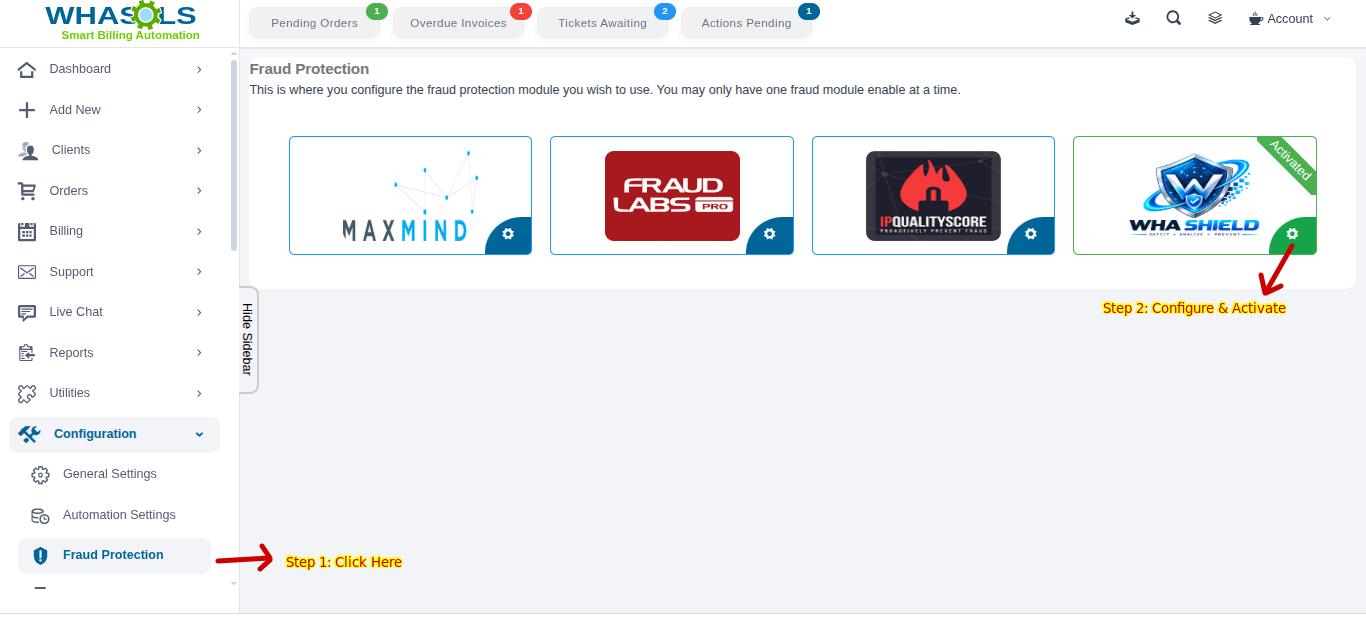
  2. Click on the Configuration -> Fraud Protection menu. <?= htmlspecialchars($definition['title'], ENT_QUOTES) ?> 1
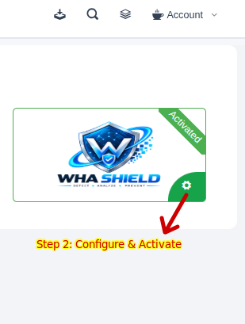
  3. Click on the Configure button for WHA Shield for Configuration module.
    <?= htmlspecialchars($definition['title'], ENT_QUOTES) ?> 2
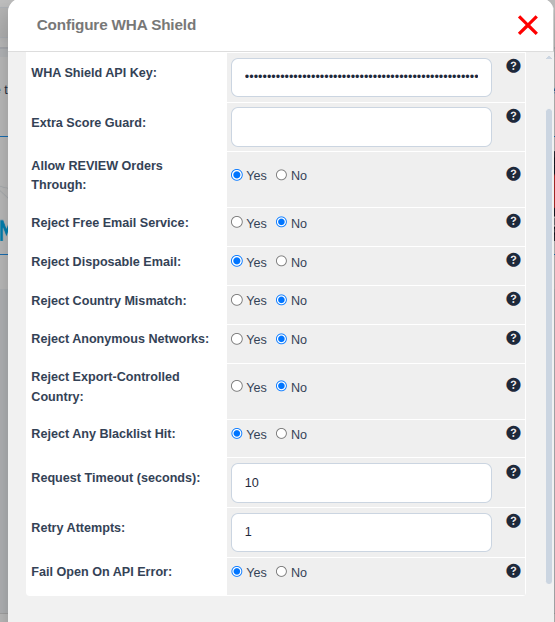
  4. Module Configuration modal display for configuration & Activation.
  5. Enter your API Key and then click on Save button. You may sign up for a free Micro Plan if you do not have an API key.

    <?= htmlspecialchars($definition['title'], ENT_QUOTES) ?> 3
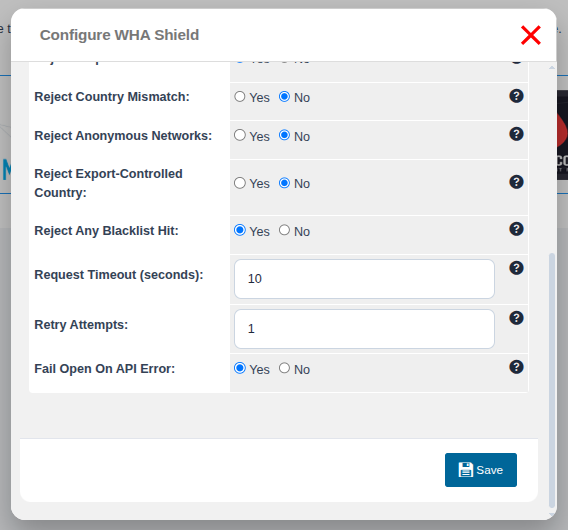
  6. After Entering your API key, click on the Save button.

    <?= htmlspecialchars($definition['title'], ENT_QUOTES) ?> 4
  7. Your fraud prevention module is enabled and ready to use.
    <?= htmlspecialchars($definition['title'], ENT_QUOTES) ?> 5
  8. Done.